WhatsApp Stylish Name & Bio Guide: Aesthetic Fonts & Symbols
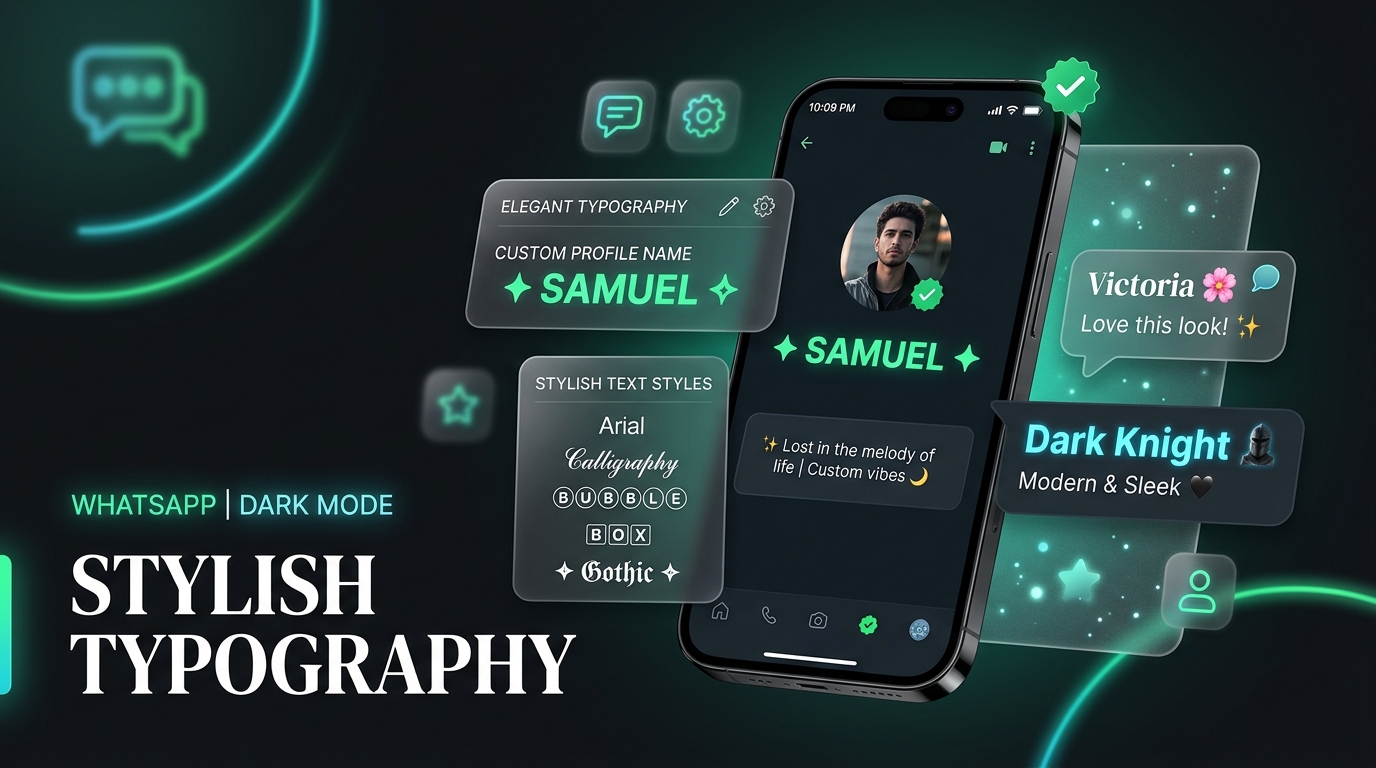
WhatsApp Stylish Names & Aesthetic Bio Fonts
WhatsApp connects billions of users every day, but by default, everyone’s profile name and “About” bio looks nearly identical. Crafting a WhatsApp stylish name with clean Unicode fonts, subtle symbols, and minimalist formatting helps your profile stand out instantly in group chats, contact lists, and status views.
Because WhatsApp relies on standard system fonts, directly styling text with third-party keyboard apps can sometimes risk privacy or display broken rectangular boxes (“). By using verified universal Unicode font styles—such as Small Caps, Cursive Script, Monospace, and Double Struck—you can customize your stylish font for WhatsApp name safely and without installing extra apps.
In this guide, we cover ready-to-copy profile names, aesthetic “About” bio templates, text formatting tricks, and step-by-step instructions for Android and iPhone.
1. Top WhatsApp Stylish Name Styles (Ready to Copy)
Below is a curated list of stylish names formatted for WhatsApp. These styles are rigorously tested across both Android and iOS to ensure 100% compatibility:
| Profile Name Style | Font Type | Preview Snippet |
|---|---|---|
✦ ꜱᴀᴍᴜᴇʟ ✦ | Clean Small Caps | ✦ ꜱᴀᴍᴜᴇʟ ✦ |
𝓥𝓲𝓬𝓽𝓸𝓻𝓲𝓪 🌸 | Flowing Cursive Script | 𝓥𝓲𝓬𝓽𝓸𝓻𝓲𝓪 🌸 |
𓆩♡𓆪 𝓐𝓵𝓮𝔁 𓆩♡𓆪 | Wing Heart Brackets | 𓆩♡𓆪 𝓐𝓵𝓮𝔁 𓆩♡𓆪 |
亗 𝕯𝖆𝖗𝖐 𝕶𝖓𝖎𝖌𝖍𝖙 亗 | Gothic Fraktur & Crown | 亗 𝕯𝖆𝖗𝖐 𝕶𝖓𝖎𝖌𝖍𝖙 亗 |
【 𝔻𝕒𝕟𝕚𝕖𝕝 】 | Double Struck with Clean Frames | 【 𝔻𝕒𝕟𝕚𝕖𝕝 】 |
ᯓ★ 𝑱𝒖𝒍𝒊𝒂 ✦ | Star Cluster & Bold Italic | ᯓ★ 𝑱𝒖𝒍𝒊𝒂 ✦ |
⚡ ᴛʜᴇ ᴏꜰꜰɪᴄɪᴀʟ ⚡ | Minimal Small Caps Brand | ⚡ ᴛʜᴇ ᴏꜰꜰɪᴄɪᴀʟ ⚡ |
🦋 𝒮ℴ𝓅𝒽𝒾𝒶 🦋 | Elegant Handwritten Script | 🦋 𝒮ℴ𝓅𝒽𝒾𝒶 🦋 |
2. Aesthetic WhatsApp “About” Bios & Quotes
Your WhatsApp “About” section allows up to 139 characters. Pairing deep aesthetic quotes with custom typography gives your account a sleek, thoughtful vibe:
Minimalist & Deep Aesthetic Bios:
ʟɪᴠɪɴɢ ɪɴ ᴛʜᴇ ᴍᴏᴍᴇɴᴛ, ɴᴏᴛ ɪɴ ᴛʜᴇ ᴘᴀꜱᴛ. 🕊️𓆩♡𓆪 𝓚𝓲𝓷𝓭𝓷𝓮𝓼𝓼 𝓲𝓼 𝓯𝓻𝓮𝓮, 𝓼𝓹𝓻𝓲𝓷𝓴𝓵𝓮 𝓲𝓽 𝓮𝓿𝓮𝓻𝔂𝔀𝓱𝓮𝓻𝓮. ✨𝕾𝖎𝖑𝖊𝖓𝖈𝖊 𝖎𝖘 𝖙𝖍𝖊 𝖒𝖔𝖘𝖙 𝖕𝖔𝖜𝖊𝖗𝖋𝖚𝖑 𝖘𝖈𝖗𝖊𝖆𝖒. 🖤【 𝕎𝕠𝕣𝕜 𝕚𝕟 𝕤𝕚𝕝𝕖𝕟𝕔𝕖, 𝕝𝕖𝕥 𝕤𝕦𝕔𝕔𝕖𝕤𝕤 𝕤𝕡𝕖𝕒𝕜. 】🪐 𝑙𝑜𝑠𝑡 𝑖𝑛 𝑚𝑦 𝑜𝑤𝑛 𝑢𝑛𝑖𝑣𝑒𝑟𝑠𝑒...ʙᴜꜱʏ ᴄʀᴇᴀᴛɪɴɢ ᴛʜᴇ ʟɪꜰᴇ ᴏꜰ ᴍʏ ᴅʀᴇᴀᴍꜱ. ⚡ᯓ★ 𝑠𝑖𝑚𝑝𝑙𝑒 𝑙𝑖𝑓𝑒, ℎ𝑖𝑔ℎ 𝑡ℎ𝑖𝑛𝑘𝑖𝑛𝑔.
Attitude & Savage WhatsApp Bios:
👑 𝕴 𝖉𝖔𝖓'𝖙 𝖈𝖔𝖒𝖕𝖊𝖙𝖊, 𝕴 𝖉𝖔𝖒𝖎𝖓𝖆𝖙𝖊. 亗ᴍʏ ꜱɪʟᴇɴᴄᴇ ɪꜱ ɴᴏᴛ ᴡᴇᴀᴋɴᴇꜱꜱ, ɪᴛ'ꜱ ᴍʏ ᴡᴇᴀᴘᴏɴ. ⚔️𝓝𝓸𝓽 𝓮𝓿𝓮𝓻𝔂𝓸𝓷𝓮 𝓵𝓲𝓴𝓮𝓼 𝓶𝓮, 𝓫𝓾𝓽 𝓷𝓸𝓽 𝓮𝓿𝓮𝓻𝔂𝓸𝓷𝓮 𝓶𝓪𝓽𝓽𝓮𝓻𝓼. 💅【 𝔈𝔯𝔯𝔬𝔯 404: 𝔄𝔱𝔱𝔦𝔱𝔲𝔡𝔢 𝔑𝔬𝔱 𝔉𝔬𝔲𝔫𝔡 】
3. WhatsApp Native Text Formatting vs Unicode Font Styles
WhatsApp includes built-in markdown shortcuts for chat messages, but these do not work in your Profile Name or About bio:
| Built-in Markdown | Syntax | Result in Chat | Works in Profile Name? |
|---|---|---|---|
| Bold | *text* | text | ❌ No |
| Italics | _text_ | text | ❌ No |
~text~ | ❌ No | ||
Monospace | ```text``` | text | ❌ No |
| Unicode Stylish Fonts | Generated | 𝓣𝓮𝔁𝓽, ᴛᴇxᴛ, 𝔗𝔢𝔵𝔱 | ✅ 100% Yes |
To get bold, cursive, or decorative fonts on your actual profile name and bio, you must convert your text into universal Unicode characters using our Stylish Name Generator.
4. How to Change Your WhatsApp Profile Name & About Section
Follow these quick steps on Android or iPhone to update your name:
Step 1: Open the Stylish Name Generator
Go to https://stylish.name/ and enter your name or bio quote.

Step 2: Copy Your Favorite Font
Scroll through the generated font cards and tap "Copy".

Step 3: Open WhatsApp Settings
• On Android: Tap the 3 dots in the top-right corner ➔ Settings ➔ Tap your Profile Picture.
• On iPhone: Tap Settings (bottom-right gear icon) ➔ Tap your Profile Name.

Step 4: Edit & Paste
Tap the pencil icon next to your Name or About field, paste your copied text, and tap Save!
Cross-Platform Tip: If you also want your Facebook profile or page to match your aesthetic styling, check out our guide on Facebook Acceptable Stylish Names for moderation-approved font filters, or see our collection of Stylish Contact Names to organize your friends list.
5. Important Compatibility Guidelines for WhatsApp
- Name Length Limit: WhatsApp names allow up to 25 characters. When using decorative symbols like wings (
꧁༺), keep your core name around 6-10 characters so your entire tag fits on screen. - Emoji Limit: Excessive emojis can make text truncate on smaller phone screens. We recommend combining 1-2 clean symbols with a stylish font for a balanced, premium look.
- Group Mentions: When someone mentions you in a group using
@YourName, WhatsApp cleanly recognizes your Unicode display name without breaking chat notifications.